- Recording a question
- Submitting a question via Tumblr (Desktop)
- Submitting a question via Tumblr (Mobile)
- Submitting a question via Email
Recording a question
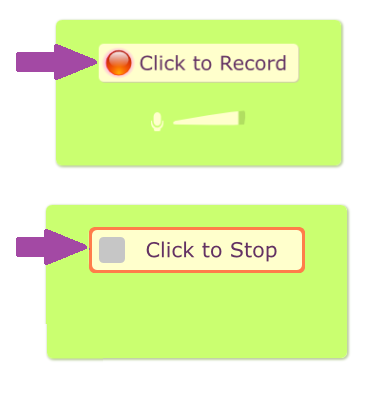
1. First, go to Vocaroo. You should see a little recording pannel that looks like this (Depending on your device or browser, you may have to allow your microphone or some plugins before you can see the record button)

2. Click on "Click to Record" to record begin recording your question and "Click to Stop" once you're done.
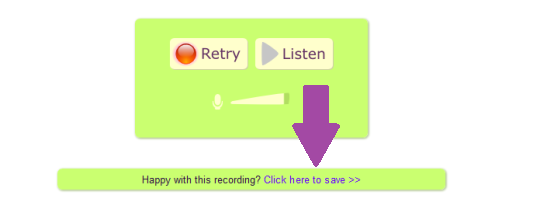
3. Once you're happy with the recording, click on "Click here to save" To generate a link to your recording (You will need this link to submit your question).
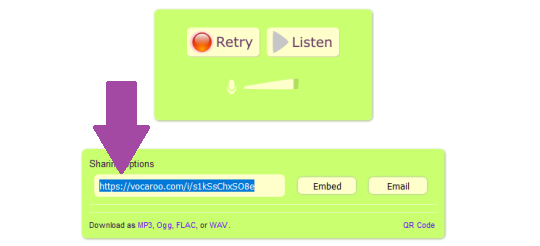
4. Copy the link provided and submit it to either Tumblr or submit an MP3 file by email at [email protected].
⇡ Back to Top ⇡
Submitting a question via Tumblr (Desktop)
1. First, go to GreyKnightErotica on Tumblr. Click on the handburger menu in the upper left corner.

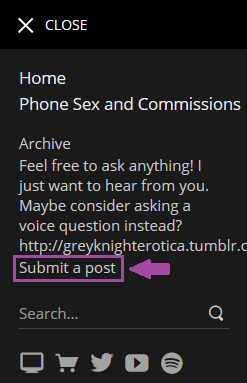
2. Then click on "Submit a Post" in the slide out menu.
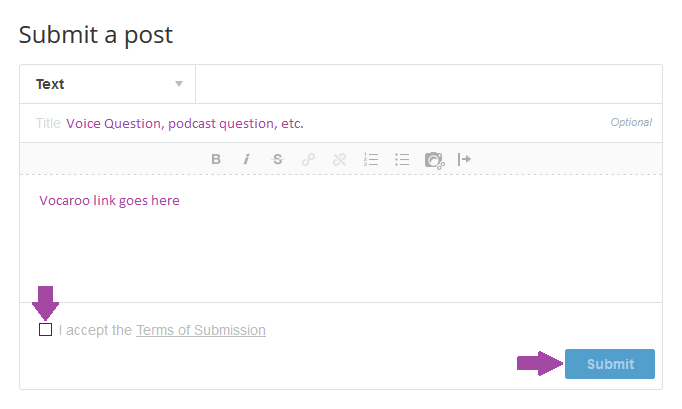
3. Enter a title (something along the lines of "Voice Question" or "Podcast question" to let me know). Paste the Vocaroo link in the space provided. Check the box to accept the Terms of service and click Submit.
⇡ Back to Top ⇡
Submitting a question via Tumblr (Mobile)
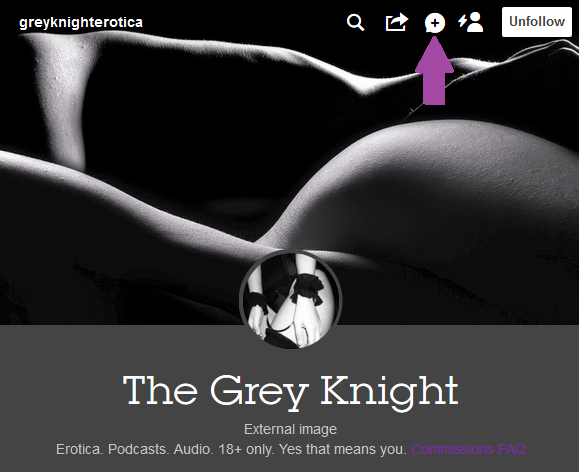
1. First, go to GreyKnightErotica on Tumblr (browser or app). Click on the little message bubble in the upper right corner.
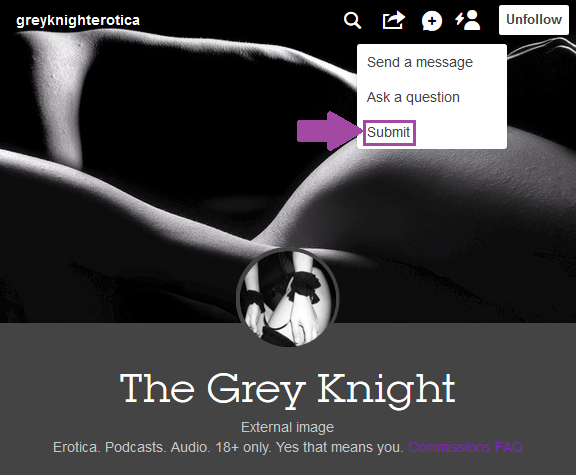
2. Click on "Submit" in the menu that appears.
3. Enter a title (something along the lines of "Voice Question" or "Podcast question" to let me know). Paste the Vocaroo link in the space provided. Check the box to accept the Terms of service and click Submit.
⇡ Back to Top ⇡
Submitting a question via Email
To submit via Email, please send your Vocaroo link or an MP3 File to [email protected].
⇡ Back to Top ⇡


